
This content has been restricted to logged-in users only. Please log in to view this content.
FREE EPLAN LESSON
Unlock This Free Lesson
This lesson is completely free. Create a free account to continue watching instantly.
✓ 20 Free Lessons •
✓ Project Files •
✓ Support Tickets
OR
Already have an account?
Sign In
Sign In
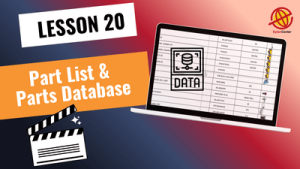
Learn how to connect your schematics to the electrical parts database, assign real components to symbols, and import manufacturer device data using the EPLAN Data Portal tutorial workflow. This lesson helps you create accurate, professional electrical designs by working with real equipment data instead of generic symbols.
🎓 Free
📘 Beginner
⏱ 26 min
Subtitles: English · Arabic (coming soon) · Chinese (coming soon) · Turkish (coming soon) · Russian (coming soon)
Connect Your Project to the Electrical Parts Database
In this EPLAN Data Portal tutorial, you will learn how to link your electrical design project to real component data inside EPLAN.
You will understand how the electrical parts database is structured, how it stores device information, and why a complete database improves design accuracy, consistency, and engineering efficiency.
Working with a structured database allows you to build professional industrial schematics based on real technical specifications rather than symbolic placeholders.
Assign Parts to Symbols Correctly
A key step in professional electrical design is learning how to assign parts to symbols properly.
In this lesson, you will practice multiple assignment methods, including:
Manual selection from the electrical parts database
Searching for components by name or specification
Direct entry of manufacturer part numbers
These workflows ensure every symbol in your schematic represents a real physical device.
Import Device Data Using the EPLAN Data Portal
Another essential skill covered in this EPLAN Data Portal tutorial is how to import device data EPLAN projects require for real-world engineering.
You will learn how to install and use offline Data Portal libraries (EDZ files) and integrate manufacturer equipment directly into your project.
As a practical example, we install the offline device library from Schneider Electric and work with real industrial components such as:
Miniature circuit breakers (MCB)
RCCB and RCBO protection devices
Fuses and fuse holders
Contactors (LC1D9)
Overload relays
Signal lamps
Start and stop push buttons
You will learn how to locate these devices, review their specifications, and assign them correctly to your schematics.
Evaluate Technical Specifications Before Selection
Professional design requires correct component selection.
In this lesson, you will learn how to review key technical parameters, including:
Rated current
Coil voltage
Tripping curve type (for example B-Curve)
Functional characteristics
This ensures every component you use is suitable for the electrical system being designed.
Practical Engineering Rules for Part Assignment
You will also learn important real-world engineering guidelines, such as:
Assign parts only to the coil of contactors or relays — not to their terminals
Two-piece fuse systems require separate parts for the holder and the fuse element
These practical rules help prevent common modeling and documentation errors.
Practice Exercise — Apply What You Learned
To reinforce the lesson, you are encouraged to:
Select parts for push buttons
Assign contactor components
Configure signal lamps
Apply real device data to your schematic
Hands-on practice is essential for mastering the electrical parts database workflow.
Introduction to Project Reports and Part Lists
You will also see a basic introduction to project documentation, including:
Part lists
Equipment lists
Project output reports
These reporting tools will be explored in greater depth in upcoming lessons.
What Comes Next in Your EPLAN Training
This lesson is designed at a beginner level and builds a foundation for advanced engineering workflows.
In future training sessions, you will move on to:
Advanced database management
Macro creation and reuse
3D panel layout
Advanced reporting and documentation
These topics will expand your ability to create fully professional electrical engineering projects.
✅ This free course includes the first 20 sessions of our full 90-session Complete EPLAN P8 Program.
If you want to continue and access the full professional training, the remaining sessions are available in the complete package.
🚀 Start learning EPLAN step by step and build strong practical skills for your engineering career.

Mohammad Rahmati
Founder & Lead EPLAN Instructor – EPLAN Center
With over 15 years of specialized experience in electrical engineering, industrial automation, and panel design, I have worked extensively across major oil, gas, petrochemical, energy, and manufacturing projects. My expertise spans:
• Electrical, instrumentation, and Ex-proof panel design
• Industrial automation & control systems
• Engineering documentation and standards development
• Optimization of design workflows using EPLAN
• Technical consulting for engineering teams and industrial companies
As the founder and lead instructor at EPLAN Center, I have trained more than 4,000 engineers and technicians, helping organizations adopt modern, standardized, and error-reduced engineering processes. I have authored over 100 hours of structured, industry-focused EPLAN training, designed to build real-world skills from beginner to advanced levels.
I hold an M.Sc. in Power Engineering and an MBA, and continue to work with engineering teams to advance best practices in digital design and documentation.

Alireza Momeni
EPLAN Presenter & Project Engineering Specialist
I am a Telecommunications Electrical Engineer with a Master’s degree from TU Darmstadt, Germany. With over a decade of experience in electrical engineering and hardware development, I have contributed to a wide range of industrial and technical projects across Europe.
I currently work as a Project Engineer at the European Central Bank (ECB) in Frankfurt, where I design and document complex electrical and communication systems. In my daily workflow, I use EPLAN to develop structured, reliable, and fully standardized project layouts.
At EPLAN Center, I combine my strong engineering background with clear technical communication, serving as an EPLAN Presenter and contributing to the creation of high-quality, real-industry-based educational content. My focus on precision, clarity, and practical engineering makes me an essential part of the EPLAN Center team.
Try Free Lessons or Enroll in the Full EPLAN Course
Information Alert: Not sure? All courses have a 30-day money-back guarantee.
| Features | Free Course ✅ | Full Course 💎 |
|---|---|---|
| Online video content | ✅ 20 sessions | ✅ 90+ sessions |
| Certificate of completion | ❌ | ✅ |
| Instructor Q&A | ❌ | ✅ |
| Instructor direct message | ❌ | ✅ |
| Sample project files & exercises | ❌ | ✅ |
| EPLAN software & Data Portal | ❌ | ✅ |
| Free updates | ❌ | ✅ |





Subscribe
4 Comments


Hello,
To remove imported parts from the EPLAN Part Database, please follow these steps:
Open Part Management and filter the required parts. Then select all filtered parts, right-click, and choose the Export option to create a personal dataportal backup if needed.
After creating the backup, you can delete the required parts by selecting them and choosing the Delete option.
The filtering process in EPLAN is explained in detail in the latest training package.
Please note that when you install a dataportal, its data is stored in the following path:
C:\Users\Public\EPLAN\Data
A large part of the storage is usually related to the Macros, Image, and Document folders. Inside these folders, the information is organized by manufacturer, with each brand stored in a separate folder using the company name. If you do not need the information of a specific manufacturer, you can delete its related folder.
Another solution is to move these three folders (Macros, Image, and Document) to another location (for example, an external hard drive) to reduce the used space on your drive.
After moving them, you need to update the paths in EPLAN settings:
Go to Options > Settings, search for Directories, and in the Directories window change the paths for Image, Macro, and Document to the new location.
Please make sure that the end of these paths remains the same as the default structure and ends with the company name folder.
With this method, besides reducing the disk usage, any future dataportal installations will also store the related files of these three folders in the new location.
Best regards

3 months ago
Hi,
Thanks for the great explanation, really helpful.
Just one more thing I noticed — in your video and software, under Part Management → Electrical Engineering, you have three folders: Assembly, Component, and Module.
But in my version I don’t see the “Module” folder at all.
Any idea why this is missing?
Hello,
The reason you do not see the Module folder is that there is no part defined in your database with the Module category.
EPLAN only displays categories that contain available parts in the database. If no part is assigned to the Module class, this folder will not appear.
Once you create or import a part that belongs to the Module category, the folder will be displayed automatically.
Hello,
I imported an EDZ file into the part database. If I want to remove or delete it later what is the correct way to do ?
Thanks in advance.
Hello,
To remove imported parts from the EPLAN Part Database, please follow these steps:
Open Part Management and filter the required parts. Then select all filtered parts, right-click, and choose the Export option to create a personal dataportal backup if needed.
After creating the backup, you can delete the required parts by selecting them and choosing the Delete option.
The filtering process in EPLAN is explained in detail in the latest training package.
Please note that when you install a dataportal, its data is stored in the following path:
C:\Users\Public\EPLAN\Data
A large part of the storage is usually related to the Macros, Image, and Document folders. Inside these folders, the information is organized by manufacturer, with each brand stored in a separate folder using the company name. If you do not need the information of a specific manufacturer, you can delete its related folder.
Another solution is to move these three folders (Macros, Image, and Document) to another location (for example, an external hard drive) to reduce the used space on your drive.
After moving them, you need to update the paths in EPLAN settings:
Go to Options > Settings, search for Directories, and in the Directories window change the paths for Image, Macro, and Document to the new location.
Please make sure that the end of these paths remains the same as the default structure and ends with the company name folder.
With this method, besides reducing the disk usage, any future dataportal installations will also store the related files of these three folders in the new location.
Best regards
Hi,
Thanks for the great explanation, really helpful.
Just one more thing I noticed — in your video and software, under Part Management → Electrical Engineering, you have three folders: Assembly, Component, and Module.
But in my version I don’t see the “Module” folder at all.
Any idea why this is missing?
Hello,
The reason you do not see the Module folder is that there is no part defined in your database with the Module category.
EPLAN only displays categories that contain available parts in the database. If no part is assigned to the Module class, this folder will not appear.
Once you create or import a part that belongs to the Module category, the folder will be displayed automatically.